Tuesday, 3 May 2016

Minimal OS


Disclaimer
Code:
#include <std/disclaimer.h>
/*
* Your warranty is now void.
*
* I am not responsible for bricked devices, dead SD cards,
* thermonuclear war, or you getting fired because the alarm app failed. Please
* do some research if you have any concerns about features included in this ROM
* before flashing it! YOU are choosing to make these modifications, and if
*/
* you point the finger at me for messing up your device, I will laugh at you.

Installation Guide
1. Reboot to recovery
2. Wipe cache ,dalvik, data, system, Android secure and internal (if u want).
3. After wipe reboot to recovery
4. Now flash rom zip.
5. Reboot SYSTEM

Contributors
Manjunath Yashu 
Source Code: Minimal OS

ROM OS Version: 5.1.x
ROM Firmware Required: KitKat Stock
Rom Kernel: 3.4.x
Based On: Minimal OS

Version Information
Status: Stable
Current Beta Version: 1
Beta Release Date: 2016-04-01
Created 2016-04-01
Last Updated 2016-04-01


Screenshots


Monday, 2 May 2016

Exodus


Disclaimer
Code:
#include <std/disclaimer.h>
/*
* Your warranty is now void.
*
* I am not responsible for bricked devices, dead SD cards,
* thermonuclear war, or you getting fired because the alarm app failed. Please
* do some research if you have any concerns about features included in this ROM
* before flashing it! YOU are choosing to make these modifications, and if
*/
* you point the finger at me for messing up your device, I will laugh at you.

Installation Guide
1. Reboot to recovery
2. Wipe cache ,dalvik, data, system, Android secure and internal (if u want).
3. After wipe reboot to recovery
4. Now flash rom zip.
5. Reboot SYSTEM

Contributors
Manjunath Yashu 
Source Code: Exodus

ROM OS Version: 5.1.x
ROM Firmware Required: KitKat Stock
Rom Kernel: 3.4.x
Based On: Exodus

Version Information
Status: Stable
Current Beta Version: 1
Beta Release Date: 2016-04-16
Created 2016-04-16
Last Updated 2016-04-16


Screenshots


Sunday, 1 May 2016

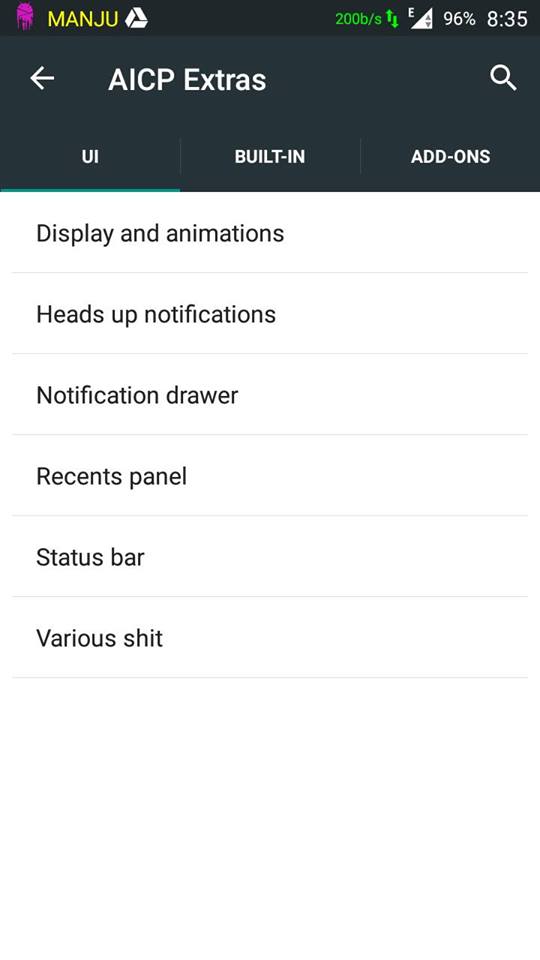
AICP 10


Disclaimer
Code:
#include <std/disclaimer.h>
/*
* Your warranty is now void.
*
* I am not responsible for bricked devices, dead SD cards,
* thermonuclear war, or you getting fired because the alarm app failed. Please
* do some research if you have any concerns about features included in this ROM
* before flashing it! YOU are choosing to make these modifications, and if
*/
* you point the finger at me for messing up your device, I will laugh at you.

Installation Guide
1. Reboot to recovery
2. Wipe cache ,dalvik, data, system, Android secure and internal (if u want).
3. After wipe reboot to recovery
4. Now flash rom zip.
5. Then flash GApps (Use any one from PA Gapps)
6. Install Camera Patch
7. Reboot SYSTEM

BUGS:
*Inbuilt screen record not work (use SCR pro.apk)
*Audio fx custom settings  does not work  (Use Divine Beats Flashable zip)

Main Features

Proximity Call
call recorder
Screenrecord
wakelock
Ad blocker
Notification FC Disabler
Gesture Anywhere
Recents Panel Settings
Omniswitch
App Circle Bar
Network Traffic on statusbar
Show CPU Info
Boot animation changer
CM Theme Engine
Slim Launcher
Slim's Heads Up, with the ability to disable
QS Sync Tile
QS Screenshot Tile
QS Screenrecord Tile
QS Quick and Smart pull down
QS WiFi Detailed Tile View
QS Location Tile - Enable Advanced Settings
Lock screen weather
Clock widget settings
ListView animation
Toast animation settings
LCD density settings
Notification Ticker
Expanded desktop
much more...

Contributors
Manjunath Yashu 
Source Code: AICP 10

ROM OS Version: 5.1.x
ROM Firmware Required: KitKat Stock
Rom Kernel: 3.4.x
Based On: AICP 10

Version Information
Status: Stable
Current Beta Version: 1
Beta Release Date: 2015-06-13
Created 2015-06-13
Last Updated 2015-06-13


Screenshots


Wednesday, 20 April 2016

How to Replace Kingroot with SuperSU


Since Kingroot is not liked by many people and is a kind of unknown app, people don’t trust that app. Hence, not able to trust becomes one important reason why people want to remove or get rid of the kingroot (KingUser). Decided to shift from Kingroot’s KingUser to SuperSu? Well, there are different ways of replacing Kingroot (KingUser) with SuperSU, Let’s begin with different methods one by one.

Method 1: Replace KingUser with SuperSU (Easiest way)

This is one of the most easiest way to shift from KingRoot’s KingUser to SuperSU. However, this method doesn’t work with many devices, in case you are not able to replace KingUser with SuperSU, you can simply follow the Method 2. For those who haven’t tried, Follow the easy steps listed below to remove KingRoot’s KingUser and replace it with SuperSU.
  • Go to the PlayStore.
  • Install SuperSU (Download SuperSU officially)
  • Give it permission as a SuperUser.
  • Uninstall KingRoot.
  • Update SuperUser Binary and Restart the device.
  • Voila, you’ve replaced your KingUser with SuperSU.
However, if the steps in the above method didn’t work for you, you don’t have to worry much and head towards the next method listed below, which works for most of the devices.

Method 2: Remove KingRoot’s KingUser with SuperSU using Terminal [Requires Intermediate skills]

This method works for almost all the android devices and works the best, However, it requires some decent skills to follow the instructions and copy the commands listed below into the Terminal app.
The link of the script which is shared below works without a computer system/PC, Hence the steps I’m listing below won’t require a computer PC. So are you ready?

Downloads

This download section has the download links to the files or apps you will require to complete the below listed steps. Ready to shift from KingUser to SuperSU? What are you waiting for? lets begin.

Steps to Replace KingUser with SuperSU?

Step 1: Extract the Replace_Kinguser_with_SuperSU ZIP File & Transfer the extracted version to Internal storage of device.
Install the Terminal app for Android and extract the Replace_Kinguser_with_SuperSU file and after extracting the Replace_Kinguser_with_supersu file transfer the “Extracted Folder – MRW” to outermost directory in the internal storage.
Step 2: Open Terminal Android App & Write the Following commands in the Android Terminal.
Open the terminal android app type the command “SU” in the terminal, after writing the SU in terminal, you will be prompted with the message box asking you to deny/grant the functions. Granting permission will help you remove the kinguser on your Laptop.
Su
After granting permissions you will have to type one single line of code, The other command will be:
sh /sdcard/mrw/root.sh
After writing the above command, it might show some error, but ignore that error, it will automatically launch SuperSU, in case it doesn’t manually open SuperSU.
Once done, Restart your smartphone and you will see that SuperSU works flawlessly on your Smartphone. That’s all, you’ve successfully replaced KingRoot’s KingUser with Chainfire’s SuperSU.

Asus ZenFone 2

Disclaimer
Code:
#include <std/disclaimer.h>
/*
* Your warranty is now void.
*
* I am not responsible for bricked devices, dead SD cards,
* thermonuclear war, or you getting fired because the alarm app failed. Please
* do some research if you have any concerns about features included in this ROM
* before flashing it! YOU are choosing to make these modifications, and if
*/
* you point the finger at me for messing up your device, I will laugh at you.
Contributors


Source Code: Asus Zenfone 2

ROM OS Version: 4.4.x
ROM Firmware Required: KitKat Stock
Rom Kernel: 3.4.x
Based On: Asus Zenfone 2

Version Information
Status: Stable
Current Beta Version: 1
Beta Release Date: 2015-07-21

Created 2015-07-21
Last Updated 2015-07-21


Screenshots

Galaxy Note 5 Rom

Disclaimer
Code:
#include <std/disclaimer.h>
/*
* Your warranty is now void.
*
* I am not responsible for bricked devices, dead SD cards,
* thermonuclear war, or you getting fired because the alarm app failed. Please
* do some research if you have any concerns about features included in this ROM
* before flashing it! YOU are choosing to make these modifications, and if
*/
* you point the finger at me for messing up your device, I will laugh at you.
Contributors


Source Code: Galaxy Note 5

ROM OS Version: 5.0.x Lollipop
ROM Firmware Required: KitKat Stock
Rom Kernel: 3.4.x
Based On: Galaxy Note 5

Version Information
Status: Stable
Current Beta Version: 1
Beta Release Date: 2015-07-21

Created 2015-07-21
Last Updated 2015-07-21


Screenshots


For Root download and flash following file


Gionee M3 Dev © 2016
Copy Blogger Themes