Saturday, 7 May 2016

Temasek OS


Disclaimer
Code:
#include <std/disclaimer.h>
/*
* Your warranty is now void.
*
* I am not responsible for bricked devices, dead SD cards,
* thermonuclear war, or you getting fired because the alarm app failed. Please
* do some research if you have any concerns about features included in this ROM
* before flashing it! YOU are choosing to make these modifications, and if
*/
* if you point the finger at me for messing up your device, I will laugh at you.

Installation Guide
The latest version TWRP is recommended.

Clean Installation
1. Download the appropriate ROM using links provided below.
2. Download GApps provided below (nothing else will work)
3. Back up any and all important data.
5. WIPE DALVIK/CACHE/DATA/FACTORY RESET.
6. WIPE SYSTEM.
7. Flash the ROM in recovery.
7.1. DO NOT FIX PERMISSIONS AFTER FLASHING, doing so will cause a bootloop.
8. Flash the GApps.
9. WIPE DALVIK/CACHE (for good measure).
10. Reboot Device.
Thanks to Saroj Raut from IT Soch for auto rotation fix.
Contributors
Manjunath Yashu

Source Code: CM13

ROM OS Version: 6.0.x
ROM Firmware Required: KitKat Stock
Rom Kernel: 3.4.x
Based On: CM13

Version Information
Status: Stable
Current Beta Version: 1
Beta Release Date: 2016-05-05
Created 2016-05-05
Last Updated 2016-05-05


Screenshots


Tuesday, 3 May 2016

Minimal OS


Disclaimer
Code:
#include <std/disclaimer.h>
/*
* Your warranty is now void.
*
* I am not responsible for bricked devices, dead SD cards,
* thermonuclear war, or you getting fired because the alarm app failed. Please
* do some research if you have any concerns about features included in this ROM
* before flashing it! YOU are choosing to make these modifications, and if
*/
* you point the finger at me for messing up your device, I will laugh at you.

Installation Guide
1. Reboot to recovery
2. Wipe cache ,dalvik, data, system, Android secure and internal (if u want).
3. After wipe reboot to recovery
4. Now flash rom zip.
5. Reboot SYSTEM

Contributors
Manjunath Yashu 
Source Code: Minimal OS

ROM OS Version: 5.1.x
ROM Firmware Required: KitKat Stock
Rom Kernel: 3.4.x
Based On: Minimal OS

Version Information
Status: Stable
Current Beta Version: 1
Beta Release Date: 2016-04-01
Created 2016-04-01
Last Updated 2016-04-01


Screenshots


Monday, 2 May 2016

Exodus


Disclaimer
Code:
#include <std/disclaimer.h>
/*
* Your warranty is now void.
*
* I am not responsible for bricked devices, dead SD cards,
* thermonuclear war, or you getting fired because the alarm app failed. Please
* do some research if you have any concerns about features included in this ROM
* before flashing it! YOU are choosing to make these modifications, and if
*/
* you point the finger at me for messing up your device, I will laugh at you.

Installation Guide
1. Reboot to recovery
2. Wipe cache ,dalvik, data, system, Android secure and internal (if u want).
3. After wipe reboot to recovery
4. Now flash rom zip.
5. Reboot SYSTEM

Contributors
Manjunath Yashu 
Source Code: Exodus

ROM OS Version: 5.1.x
ROM Firmware Required: KitKat Stock
Rom Kernel: 3.4.x
Based On: Exodus

Version Information
Status: Stable
Current Beta Version: 1
Beta Release Date: 2016-04-16
Created 2016-04-16
Last Updated 2016-04-16


Screenshots


Sunday, 1 May 2016

AICP 10


Disclaimer
Code:
#include <std/disclaimer.h>
/*
* Your warranty is now void.
*
* I am not responsible for bricked devices, dead SD cards,
* thermonuclear war, or you getting fired because the alarm app failed. Please
* do some research if you have any concerns about features included in this ROM
* before flashing it! YOU are choosing to make these modifications, and if
*/
* you point the finger at me for messing up your device, I will laugh at you.

Installation Guide
1. Reboot to recovery
2. Wipe cache ,dalvik, data, system, Android secure and internal (if u want).
3. After wipe reboot to recovery
4. Now flash rom zip.
5. Then flash GApps (Use any one from PA Gapps)
6. Install Camera Patch
7. Reboot SYSTEM

BUGS:
*Inbuilt screen record not work (use SCR pro.apk)
*Audio fx custom settings  does not work  (Use Divine Beats Flashable zip)

Main Features

Proximity Call
call recorder
Screenrecord
wakelock
Ad blocker
Notification FC Disabler
Gesture Anywhere
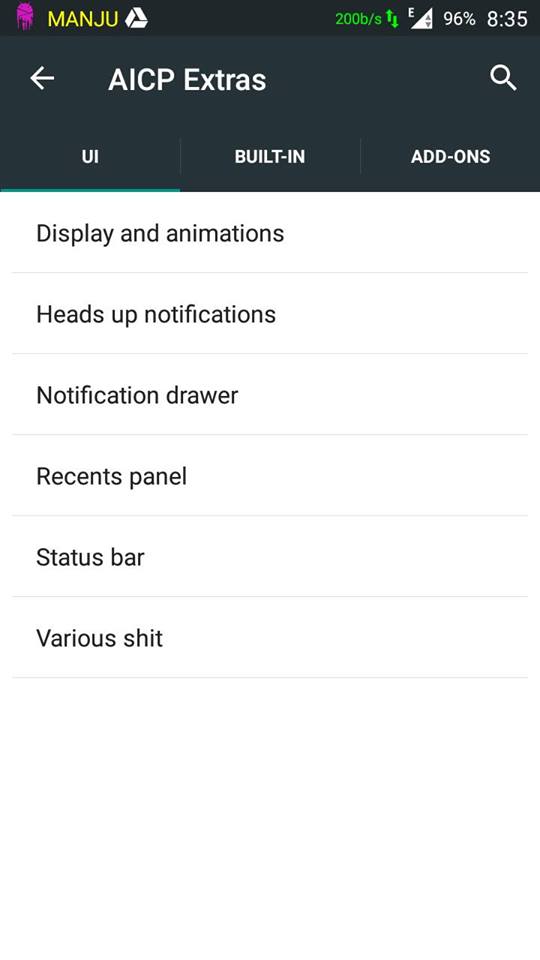
Recents Panel Settings
Omniswitch
App Circle Bar
Network Traffic on statusbar
Show CPU Info
Boot animation changer
CM Theme Engine
Slim Launcher
Slim's Heads Up, with the ability to disable
QS Sync Tile
QS Screenshot Tile
QS Screenrecord Tile
QS Quick and Smart pull down
QS WiFi Detailed Tile View
QS Location Tile - Enable Advanced Settings
Lock screen weather
Clock widget settings
ListView animation
Toast animation settings
LCD density settings
Notification Ticker
Expanded desktop
much more...

Contributors
Manjunath Yashu 
Source Code: AICP 10

ROM OS Version: 5.1.x
ROM Firmware Required: KitKat Stock
Rom Kernel: 3.4.x
Based On: AICP 10

Version Information
Status: Stable
Current Beta Version: 1
Beta Release Date: 2015-06-13
Created 2015-06-13
Last Updated 2015-06-13


Screenshots


Friday, 22 April 2016

CyanogenMod 13


CyanogenMod is a free, community built, aftermarket firmware distribution of Android 6.0.x (Marshmallow), which is designed to increase performance and reliability over stock Android for your device.

Disclaimer

Code:
#include <std/disclaimer.h>
/*
 * Your warranty is now void.
 *
 * I am not responsible for bricked devices, dead SD cards,
 * thermonuclear war, or you getting fired because the alarm app failed. Please
 * do some research if you have any concerns about features included in this ROM
 * before flashing it! YOU are choosing to make these modifications, and if
 * you point the finger at me for messing up your device, I will laugh at you.
 */
CyanogenMod is based on the Android Open Source Project with extra contributions from many people within the Android community. It can be used without any need to have any Google application installed. You will need to provide your own Google Applications package (gapps). CyanogenMod does still include various hardware-specific code, which is also slowly being open-sourced anyway.


Installation Guide (Strictly Follow or get bricked)
1. Reboot to recovery
2. Wipe cache ,dalvik, data, system, Android secure and internal (if u want).
3. After wipe Reboot Recovery again
4. Now flash rom zip.
5. Then flash GApps (one provided below only)
6. Reboot system
7. You are done go enjoy Marshmallow.

*Note: If you suffer Google Play Services constant Force Close just reboot into Recovery and wipe Dalvik, Cache and data. Now you are good to go.

Suffering from com.android.phone force close? Follow these instructions to fix it

1. Download Fix Patch from below and place it in your sdcard
2. Reboot into Recovery and Install the Fix Patch zip
3. Reboot System.
All Done no more force close  ðŸ˜€

Credits: Manjunath Yashu for constantly helping me all the way porting this rom.
Peeps at mtkroms.com who originally ported this rom from MT6582
Ferhung - The man behind CM13 for MTK.
And everyone else who I might have forgot mentioning.

Contributor 
Arun Chaudhary
Source Code: CM13

ROM OS Version: 6.0.1 Marshmallow
ROM Kernel: Linux 3.4.x
ROM Firmware Required: KitKat Stock
Based On: CyanogenMod 13

Version Information
Status: Stable
Release Date: 2016-04-22

Created 
2016-04-22
Last Updated 
2016-04-22


Screenshots


Gionee M3 Dev © 2016
Copy Blogger Themes